
DLMS Meter
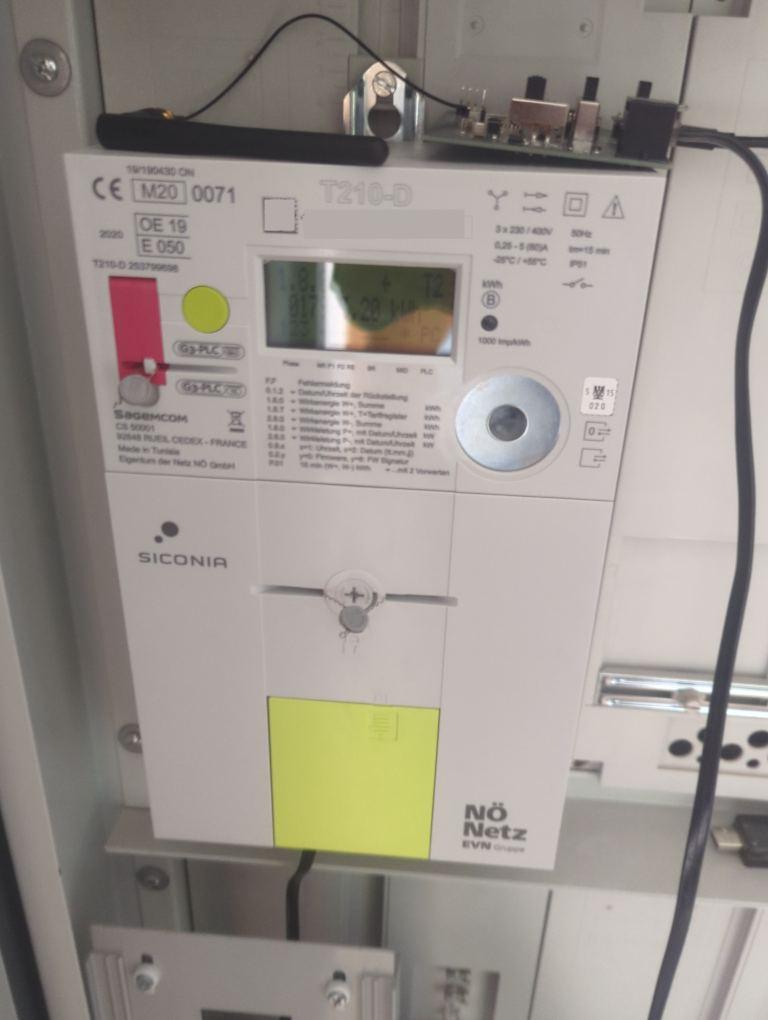
The dlms_meter component connects to smart meters which use the encrypted DLMS/COSEM protocol over UART. These
smart meters are (for example) widely deployed in Austria.
An M-Bus to UART adapter is required. You must also request the 32‑character hexadecimal decryption key from your energy provider / grid operator.
This component is passive; it does not transmit data to the meter. The meter periodically broadcasts frames (often about every 5 seconds). ESPHome listens, decrypts and updates the configured sensors as data arrives.
Example (Generic Provider)

# Example configuration entry for a generic grid operator
uart:
  rx_pin: GPIOXX              # Adjust for where the M-Bus adapter RX is connected
  baud_rate: 2400
  rx_buffer_size: 1024        # Needed for large frames

dlms_meter:
  decryption_key: "01234567890123456789012345678901"  # Replace with your key

sensor:
  - platform: dlms_meter
    voltage_l1:
      name: "Voltage L1"
    voltage_l2:
      name: "Voltage L2"
    voltage_l3:
      name: "Voltage L3"
    current_l1:
      name: "Current L1"
    current_l2:
      name: "Current L2"
    current_l3:
      name: "Current L3"
    active_power_plus:
      name: "Active power taken from grid"
    active_power_minus:
      name: "Active power put into grid"
    active_energy_plus:
      name: "Active energy taken from grid"
    active_energy_minus:
      name: "Active energy put into grid"
    reactive_energy_plus:
      name: "Reactive energy taken from grid"
    reactive_energy_minus:
      name: "Reactive energy put into grid"

text_sensor:
  - platform: dlms_meter
    timestamp:
      name: "Timestamp"
Example (Netz Noe / EVN)
uart:
  rx_pin: GPIOXX
  baud_rate: 2400
  rx_buffer_size: 1024

dlms_meter:
  decryption_key: "01234567890123456789012345678901"  # Replace with your key
  provider: netznoe

sensor:
  - platform: dlms_meter
    voltage_l1:
      name: "Voltage L1"
    voltage_l2:
      name: "Voltage L2"
    voltage_l3:
      name: "Voltage L3"
    current_l1:
      name: "Current L1"
    current_l2:
      name: "Current L2"
    current_l3:
      name: "Current L3"
    active_power_plus:
      name: "Active power taken from grid"
    active_power_minus:
      name: "Active power put into grid"
    active_energy_plus:
      name: "Active energy taken from grid"
    active_energy_minus:
      name: "Active energy put into grid"
    power_factor:                # EVN specific
      name: "Power Factor"

text_sensor:
  - platform: dlms_meter
    timestamp:
      name: "Timestamp"
    meternumber:                 # EVN specific
      name: "Meter Number"
Component Configuration
Configuration Variables
- decryption_key (Required, string, 32 hex chars, case-insensitive, templatable): Key used to decrypt DLMS telegrams. Obtain this from your provider / grid operator.
- provider (Optional): Grid operator profile. Options:
generic(default) – works for most operators.netznoe– Netz Noe / EVN specific mapping.
Sensor
Not all sensors are available on all meters. Provider specific sensors are listed separately.
Configuration Variables
Each of the following entries is optional; add only the ones you need. All support the standard Sensor options.
- voltage_l1: Voltage Phase 1.
- voltage_l2: Voltage Phase 2.
- voltage_l3: Voltage Phase 3.
- current_l1: Current Phase 1.
- current_l2: Current Phase 2.
- current_l3: Current Phase 3.
- active_power_plus: Active power taken from grid.
- active_power_minus: Active power put into grid.
- active_energy_plus: Cumulative active energy taken from grid.
- active_energy_minus: Cumulative active energy exported to grid.
- reactive_energy_plus: Reactive energy taken from grid.
- reactive_energy_minus: Reactive energy exported to grid.
Netz Noe / EVN Additional Sensor
- power_factor: Power factor. All options from Sensor.
Text Sensor
Configuration Variables
All text sensor entries are optional and support standard Text Sensor options.
- timestamp: Timestamp included in the received frame.
Netz Noe / EVN Additional Text Sensor
- meternumber: Meter number reported by the device.
